
Job safety analysis software: The JSA, filled out at the job. Not in the truck after.
Build the job safety analysis once. The lead fills it out on the phone before the work, with a photo of the setup, and the whole team signs on the screen. It works with no signal, and the signed JSA is kept for you.
Also calledJSA software, JHA software, Job hazard analysis app, Pre-task plan app
Built from
The products this solution puts together.
The JSA, a draft from a sentence, and the fix
The pre-task plan, built once and filled out every morning.
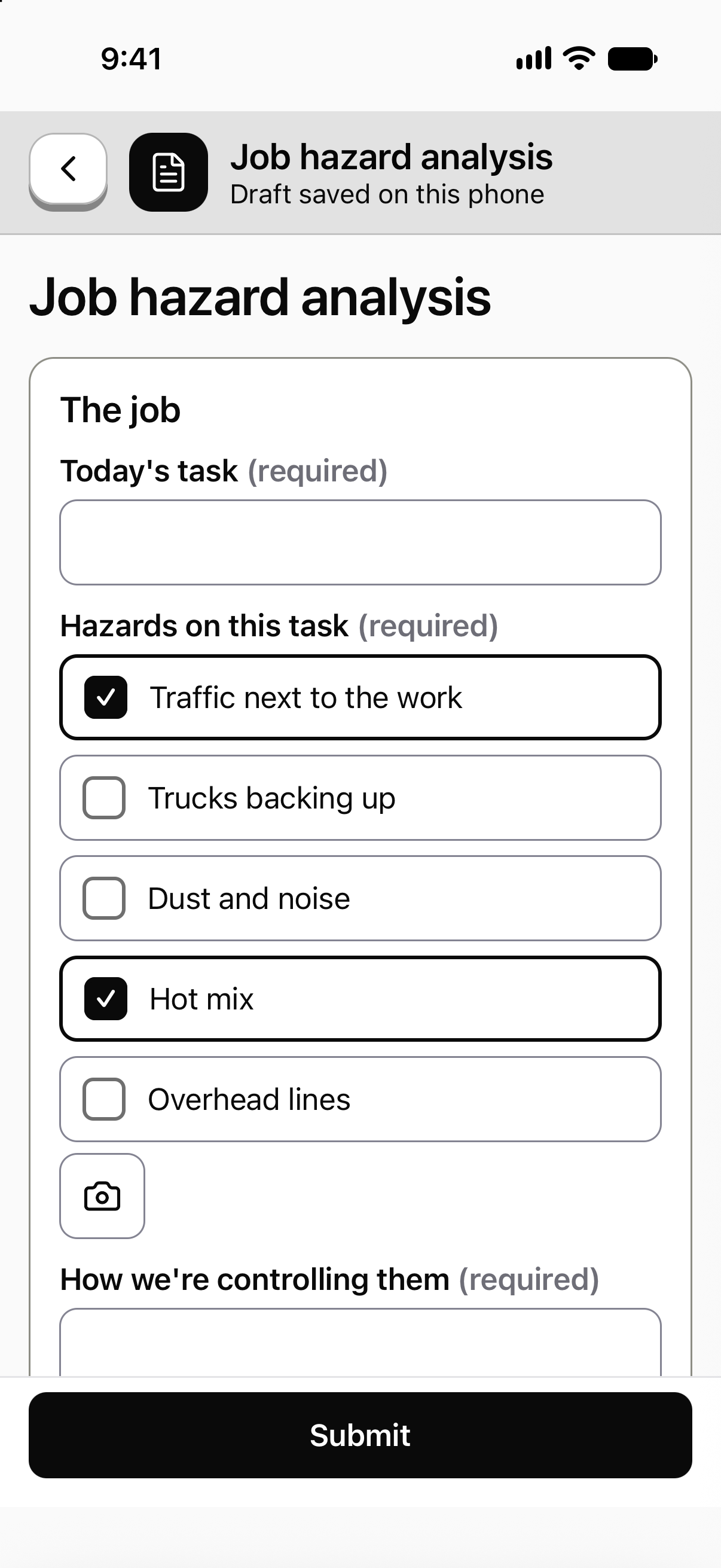
Build the JSA with the questions you use. The foreman fills it out on the phone with a photo and a signature, with no signal if that's the job, and it sends when signal comes back.

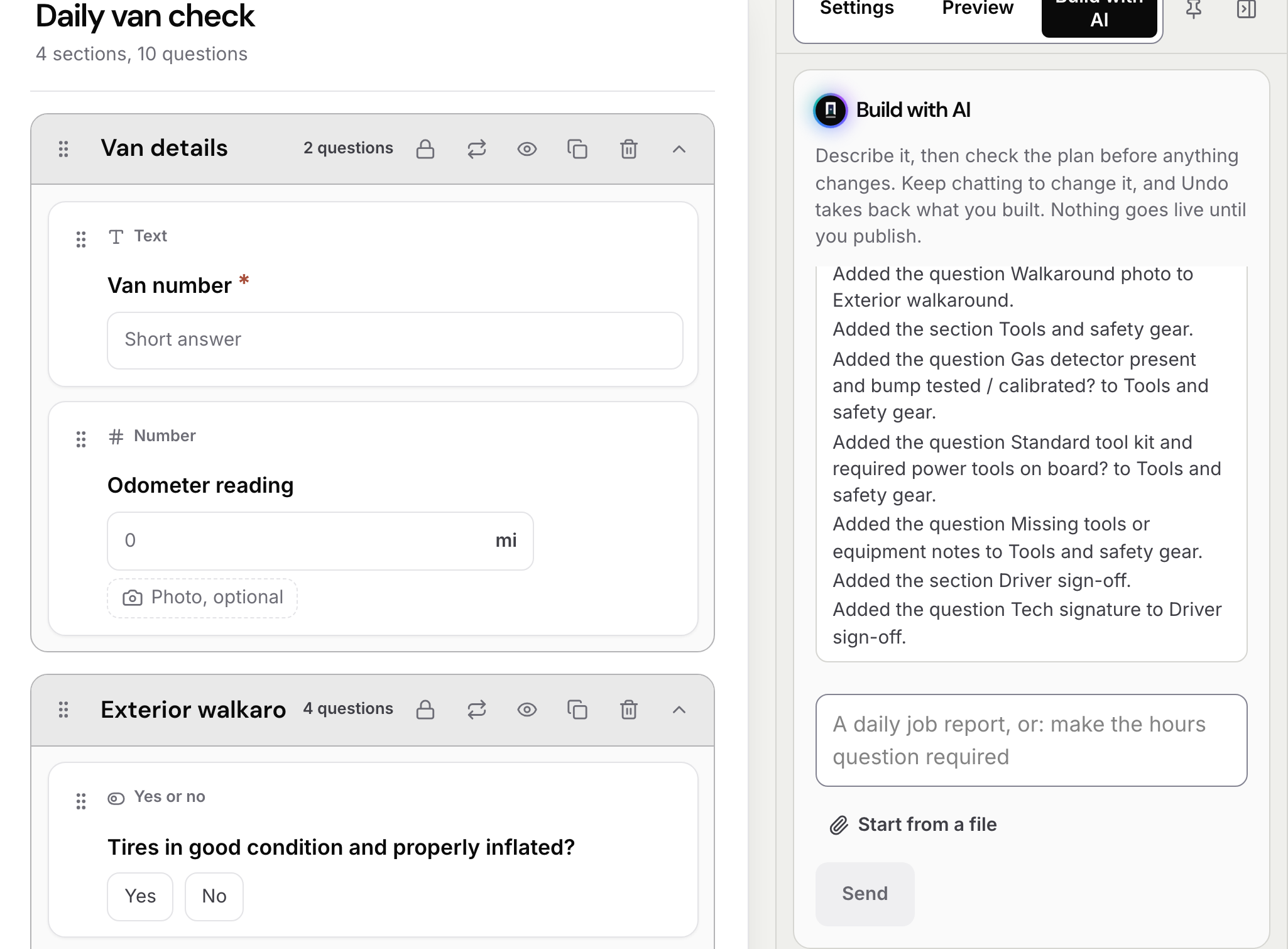
Describe the form. Then change it by chatting.
Type what you need in a sentence and the draft appears, with every question it added listed beside it. Nothing goes live until you publish, and each change can be undone.
Every form crews sent, in one list.
Who filled it, where and when. Search by form, person or place. A form that was changed after it was sent says so, and keeps its first version.

Every problem gets an owner and a date.
A hazard or a bad result turns into a corrective action with who fixes it, by when, and the photos and signature that close it.

Sample data from our own demo company.
What the crew sees
The same app, pointed at this job.
Sample company and data, made up for the picture.
The problem on the ground
The JSA gets written. Then it gets lost.
Copied forward. Yesterday's JSA with today's date. The steps didn't change because nobody looked.
Signed in the truck. The signatures go on after the work, if they go on at all.
Filed nowhere. The sheet ends up in a glovebox. When someone asks for it, it's gone.
One record. In PortalBase each JSA is a record with the job, the steps, the hazards, the controls and every signature. It's kept, and you can find it.
What's on the form
Steps, hazards, controls and signatures
A starter you can change. PortalBase comes with a job hazard analysis and a pre-task plan. Pick one, change it and publish it. Or build your own.
Read more →One block per step. Add a step at a time, each with what can hurt someone, what stops it and the risk once the controls are in.
Questions that follow the answers. Answer Yes to "fall hazard?" and the fall protection questions appear.
Your own pick lists. Hazard types, PPE and contractors. Kept in one place and reused.
Photos and signatures. A photo of the setup, and a signature from each person on the team.
The procedure on the question. Attach the procedure to the question it belongs to. Its pictures and PDFs come along to the phone.
A JSA on one job
From the plan to a closed fix
Step 1
Before the work
The JSA is due on the lead's Today screen. A schedule can hand it out every morning.
Step 2
At the job
The lead walks the steps with the team, adds a photo and fills in the controls. No signal needed.
Step 3
Sign
Each person signs that they've read the plan and know the hazards. The lead signs too.
Step 4
Fix
A failed answer can open a corrective action with an owner and a due date. It closes with evidence and a sign-off.
Versions and records
The form changes. The old JSAs don't.
- Published versions. A submission keeps the version it was filled out on.
- Site-specific versions. One form, with a variation for the site that needs one.
- Corrections. Submitted records are append-only. A correction is a new version and the original stays.
- PDF. Forms export as PDF, ready for an owner, an auditor or an insurer.
Free JSA tools
Start with the free ones
JSA template. List the steps, the hazards at each step and how you'll control them, with a team sign-on.
Read more →JSA builder. Enter the job, steps, hazards and controls, then print it or save it as a PDF.
Read more →How to write a JSA. Break the job into steps, name the hazard at each one, set controls and review it with the team.
Read more →What a JSA is. A task in steps, the hazard in each step and the control for it, before the work starts.
Read more →What teams ask about JSAs
- Is a JSA the same as a JHA?
- Yes. Job safety analysis and job hazard analysis are two names for the same method: break the job into steps, name the hazards and set the controls. The starter in PortalBase is called a job hazard analysis, and you can rename it.
- Can the whole team sign one JSA?
- Yes. Each person signs on the lead's phone that they've read the plan and know the hazards and what stops them. The lead signs too.
- Does it work with no signal?
- Yes. Published forms are on the phone. The JSA is filled in, signed and sent later as one record. Photos wait in the upload queue and go up after it.
- Can we bring the JSA form we use now?
- Yes. Give PortalBase AI a photo, PDF, Word or Excel file of the form and it becomes a draft in the form builder. A person checks it and publishes it.
- Who can see the JSAs?
- Permissions are set by role and by where someone sits in your company, and enforced on the server. Auditors and executives can get read-only access.
Send us the JSA you use now
A photo of the paper is enough. We'll show you how it would look on a phone, ready for the team to sign.
Book a walkthrough