
Field service
The tech is in a basement with no signal. The record still gets made.
PortalBase puts the van check, the job site JSA, the tech's licenses and the day's work orders on one phone. It all works with no signal in a crawlspace or a mechanical room and sends when the tech is back in range.
The real screens
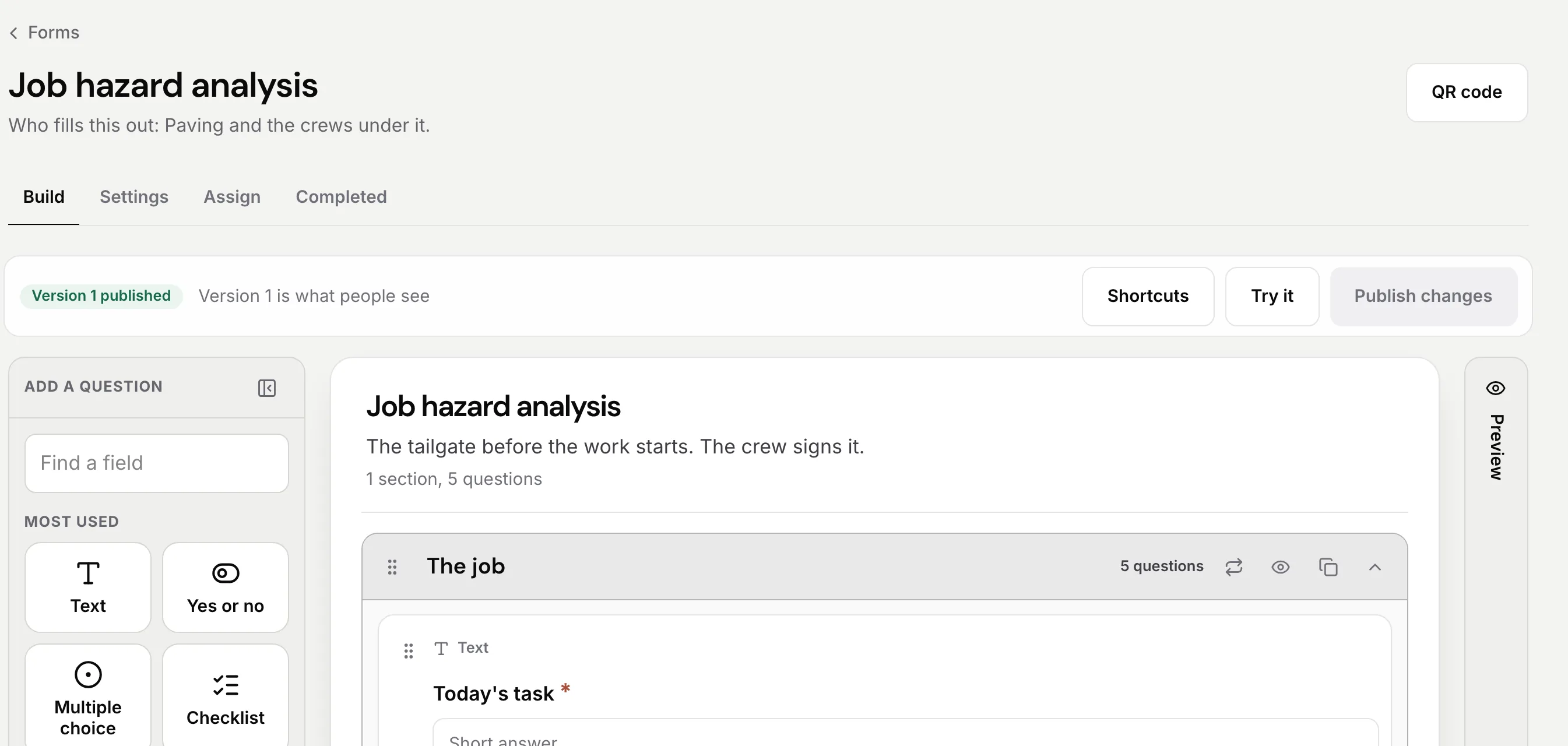
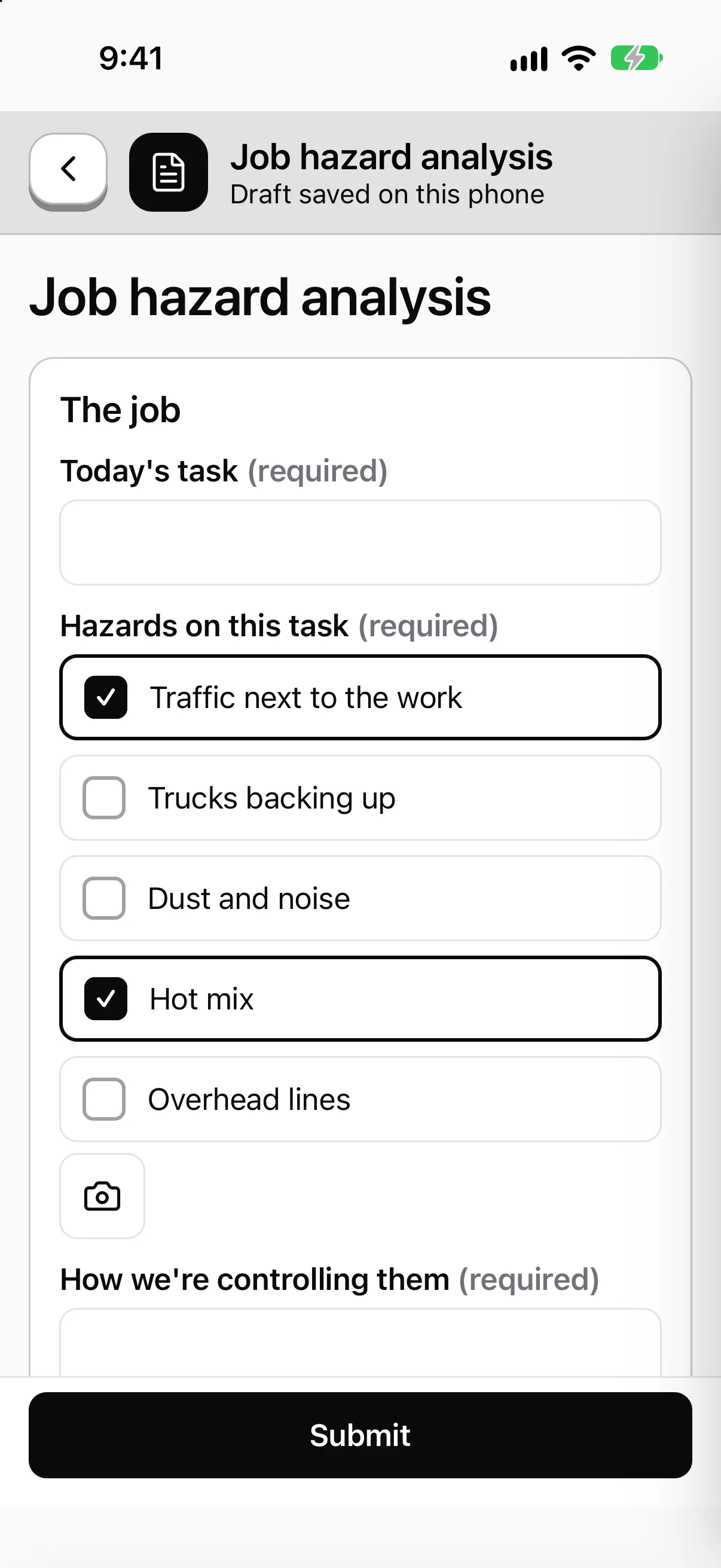
The job site JSA, filled out in the driveway.
Build it once. The tech fills it out on the phone before they open the panel, with no signal if that's the job, and it sends when signal comes back.
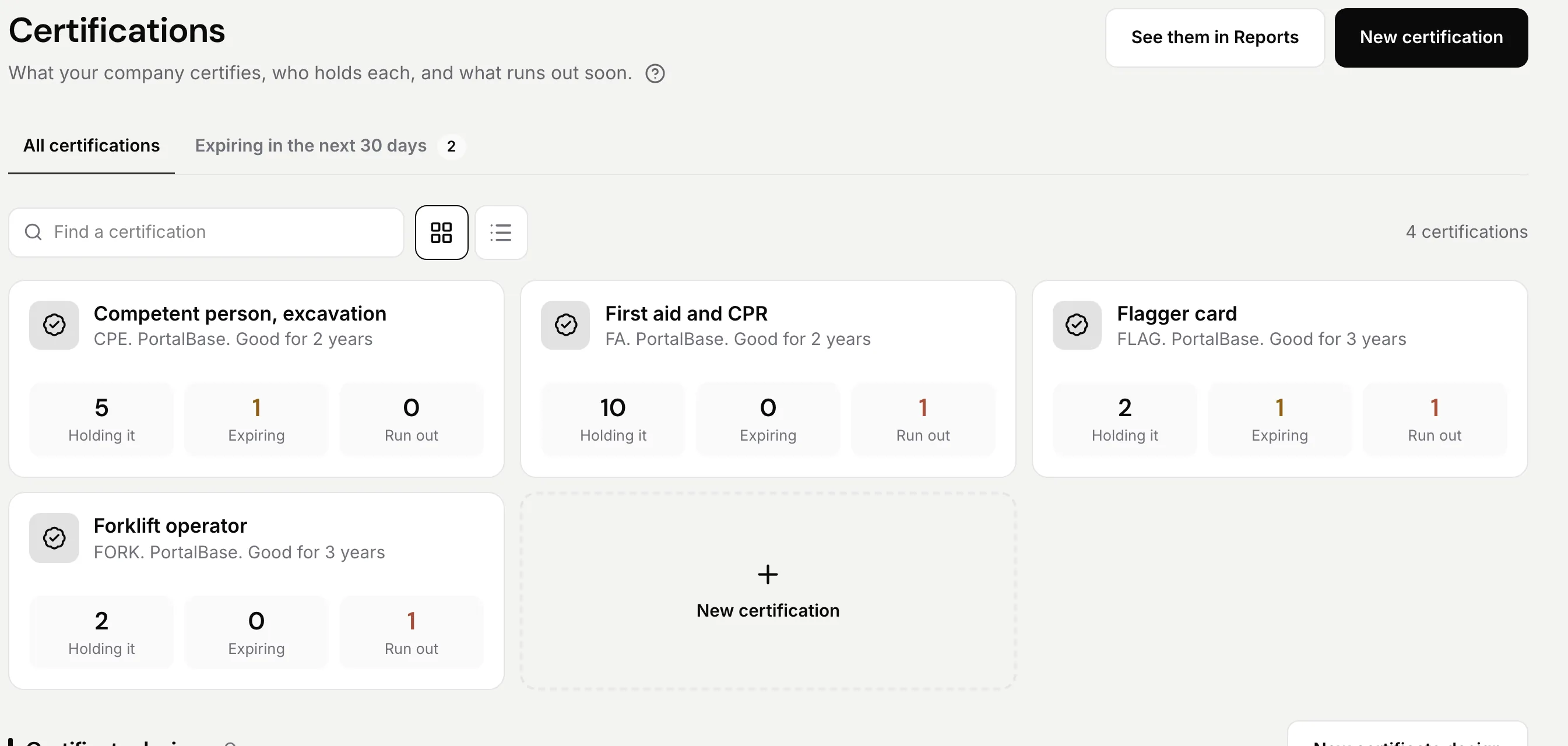
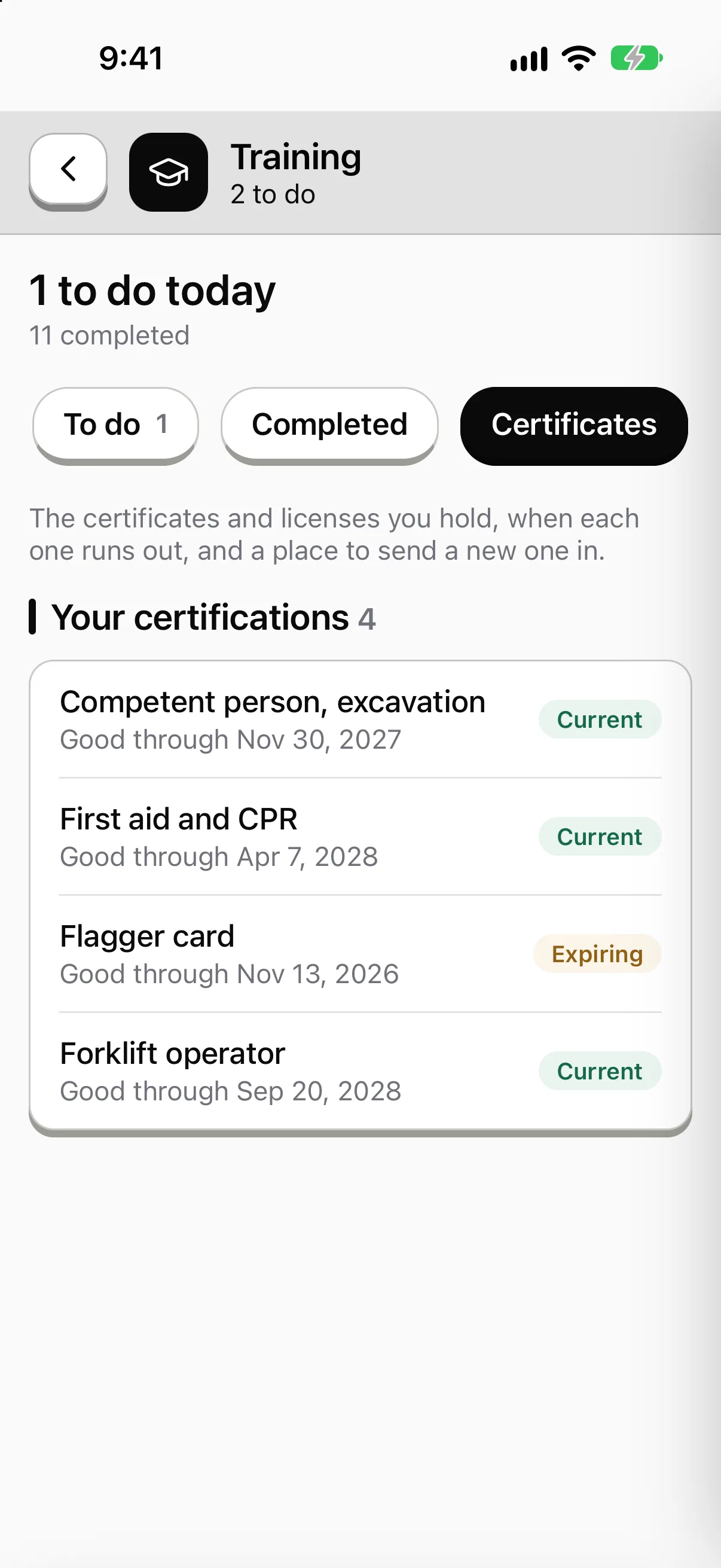
Licenses and tickets, by trade.
See who holds each card, who expires within 30 days and who has run out. Each tech carries theirs on the phone.
A work order handed to the right tech.
Give a job to a person, a crew or a role, with a due date. The tech works it with no signal and it closes when it syncs.
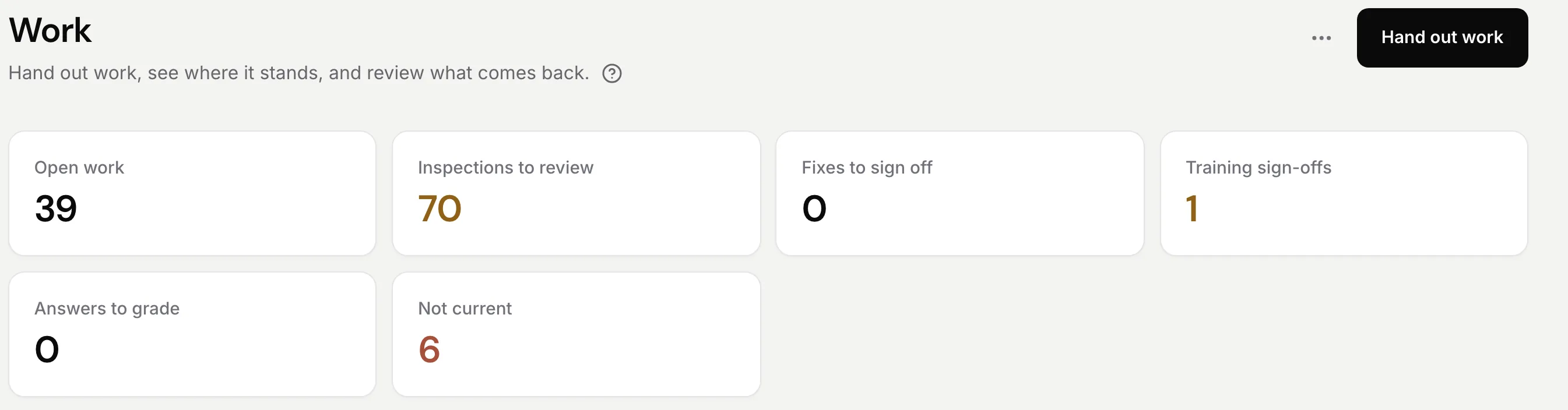
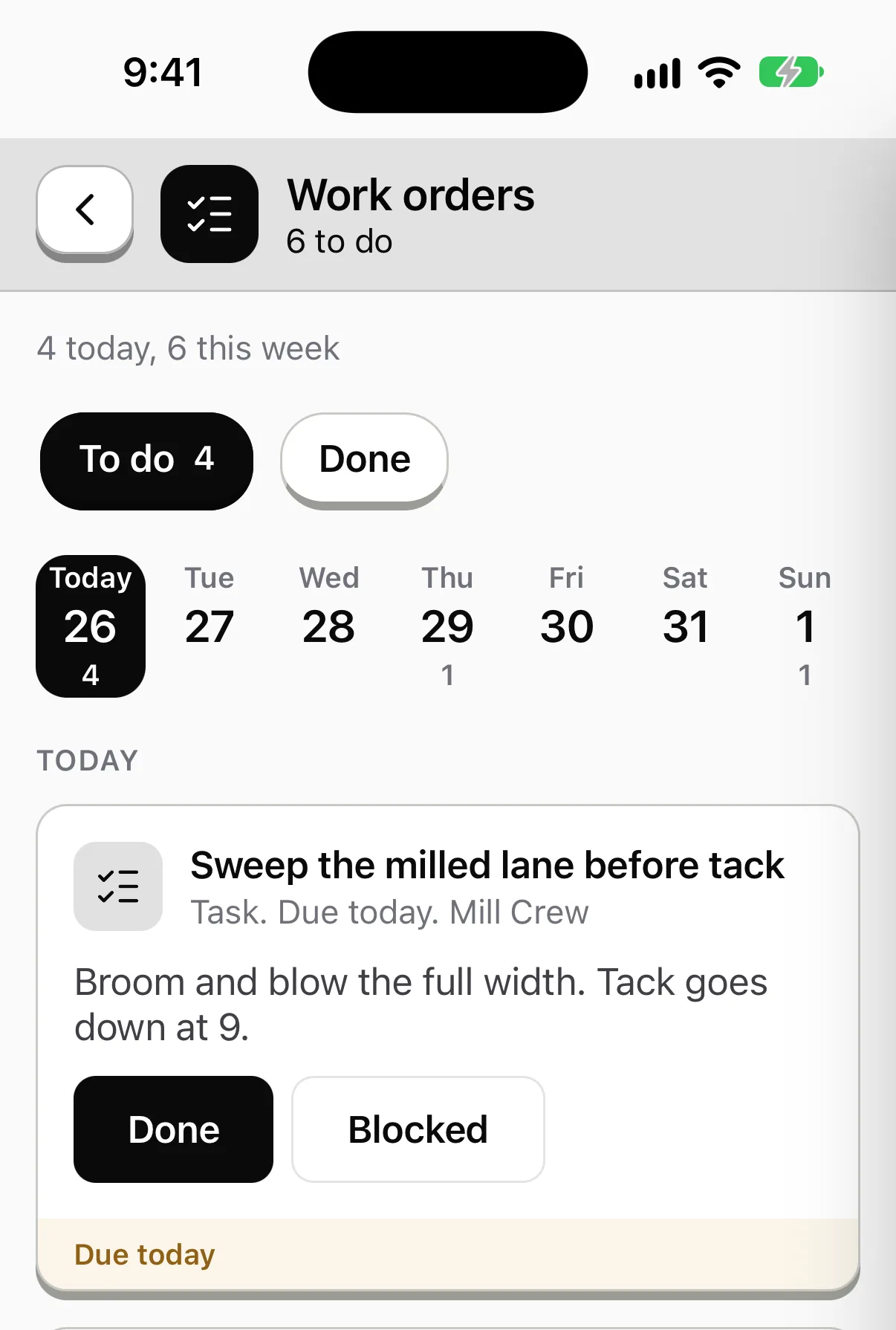
Sample data from our own demo company.
What a tech fills out
The paperwork that rides along on every call
Van stock and van checks. Tires, lights, ladders, the gas detector, the refrigerant on the shelf. The tech runs the check on the phone each morning, marks each step Pass, Concern or Fail and takes a photo where you want one.
Read more →Job site JSAs. Energized panel, attic heat, a crawlspace, a trench for the water line. The tech fills out the pre-task plan before they start, signs it, and it's on the record for that job.
Read more →Tools and test gear. A meter, a manifold gauge set, a drain machine. Each is an asset with its own checks. A failed one can be held out of use until someone repairs it and releases it.
Read more →Callbacks and unsafe finds. A tech sees a bad flue or a cracked panel cover and reports it with a photo. It turns into a corrective action with an owner and a date.
Read more →Licenses and tickets
Who is licensed for what, by trade
On paper
A binder of cards, a spreadsheet of renewal dates and an inspector who asks to see the plumber's license on a Friday afternoon.
In PortalBase
Each license, certification and ticket is a record with a holder and an expiry. See who holds each, who runs out in 30 days and who already has. The tech opens their own on the phone, with no signal.
One service call
From dispatch to a closed work order
Step 1
Hand it out.
Give the work order to a person, a crew or a role, with a due date. The tech sees it on the phone's Today screen.
Step 2
Check the van.
The morning check is on the list. A van that fails a critical step can be held out of service until it's repaired.
Step 3
Fill out the JSA.
Before the panel cover comes off or the first fitting is cut. Photos and a signature stay with the job.
Step 4
Do the work and close it.
The tech finishes with no signal if that's the site. The record sends when the phone is back in range, and the office sees it closed.
On the road
Built for a phone that drops signal
01
Offline first. Forms, trainings and checks save on the phone and send when signal comes back. A mechanical room doesn't stop the tech.
02
No company email needed. Apprentices, seasonal techs and subs sign in by text code, by employee ID and PIN, or by a QR badge. Where you run single sign-on, they use that.
03
Ask from your own documents. A tech asks a question and gets the answer from your procedures, with the page it came from. It needs signal. Without it, they search the documents already on the phone.
Straight answers
- Does it replace our dispatch or work order software?
- No. PortalBase hands out and tracks the work that needs a record: checks, JSAs, trainings and the tasks a tech completes. If you run a dispatch system, keep it. You can connect the two over the open connections.
- Does a course replace a trade license or an apprenticeship?
- No. A course records what was taught and the results. Licenses and tickets are records you keep, with a holder and an expiry. Your state's rules still decide who is licensed.
- Can a tech use it on a personal phone?
- Yes. They install the app and sign in the way you set up. Sign-in doesn't need a company email.
Free tools and talks for this field
Free tool
Pre-task plan
A one-page plan the crew reviews before starting the task
Free tool
PPE hazard assessment
Match each task or area to its hazard and the PPE it needs
Free tool
PPE issuance log
Track who got which PPE, in what size, and in what condition
Free tool
Heat index calculator
Heat index from temperature and humidity, with a risk level
Toolbox talk
Lockout tagout basics
Lockout tagout basics for a crew talk: isolate the energy, lock it, tag it, verify it. Only trained, authorized people do the work, per the site procedure.
Toolbox talk
Pre-trip inspection habits
Pre-trip inspection habits talk: walk the vehicle the same way every time, check what moves and wears, and report defects before the truck leaves the yard.
Bring your van check and your JSA.
Send us the two forms your techs fill out most. We'll show you what they look like on a phone.
Book a walkthrough