October 2026
One upload box for every file.
Anywhere you bring in a file, you now get a clear box: drag it in or press Choose file. It says what's allowed, and shows the name and size once you've picked one.
See Integrations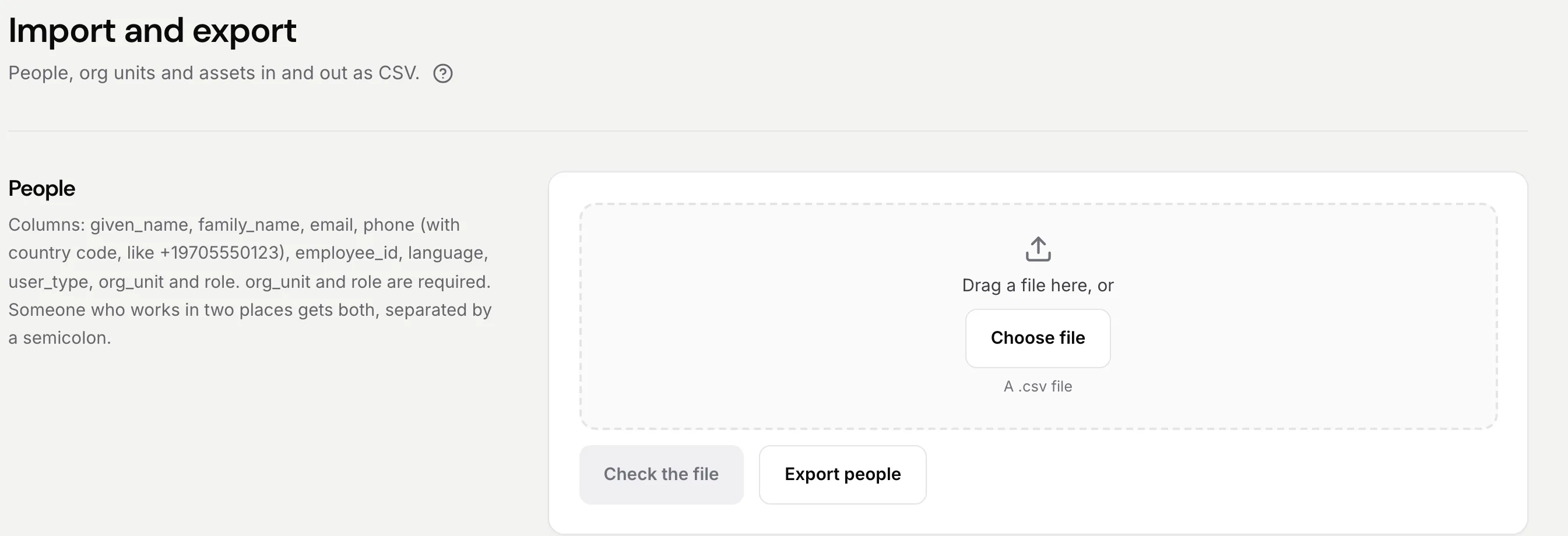

What’s new
Newest first. Each one has a real screen from our own demo company.
October 2026
Anywhere you bring in a file, you now get a clear box: drag it in or press Choose file. It says what's allowed, and shows the name and size once you've picked one.
See IntegrationsOctober 2026
Export a course from your old LMS as SCORM 1.2 or 2004 and drop in the .zip. Each lesson becomes a step, and each person's progress and score come with it.
See Training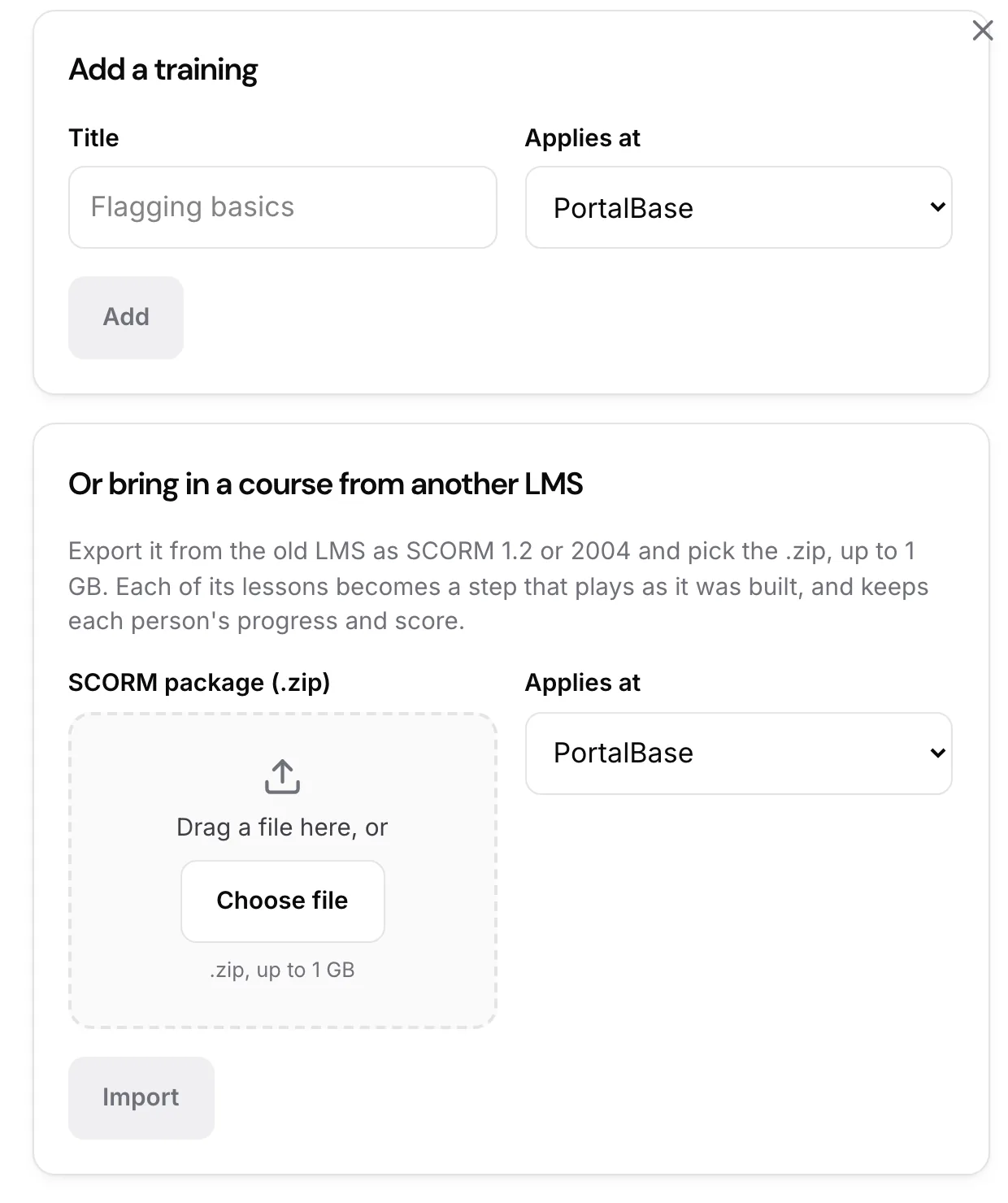
October 2026
Anyone can switch to dark under their profile, or let it follow their device. Light stays the default, and the choice stays on that device.
See the whole system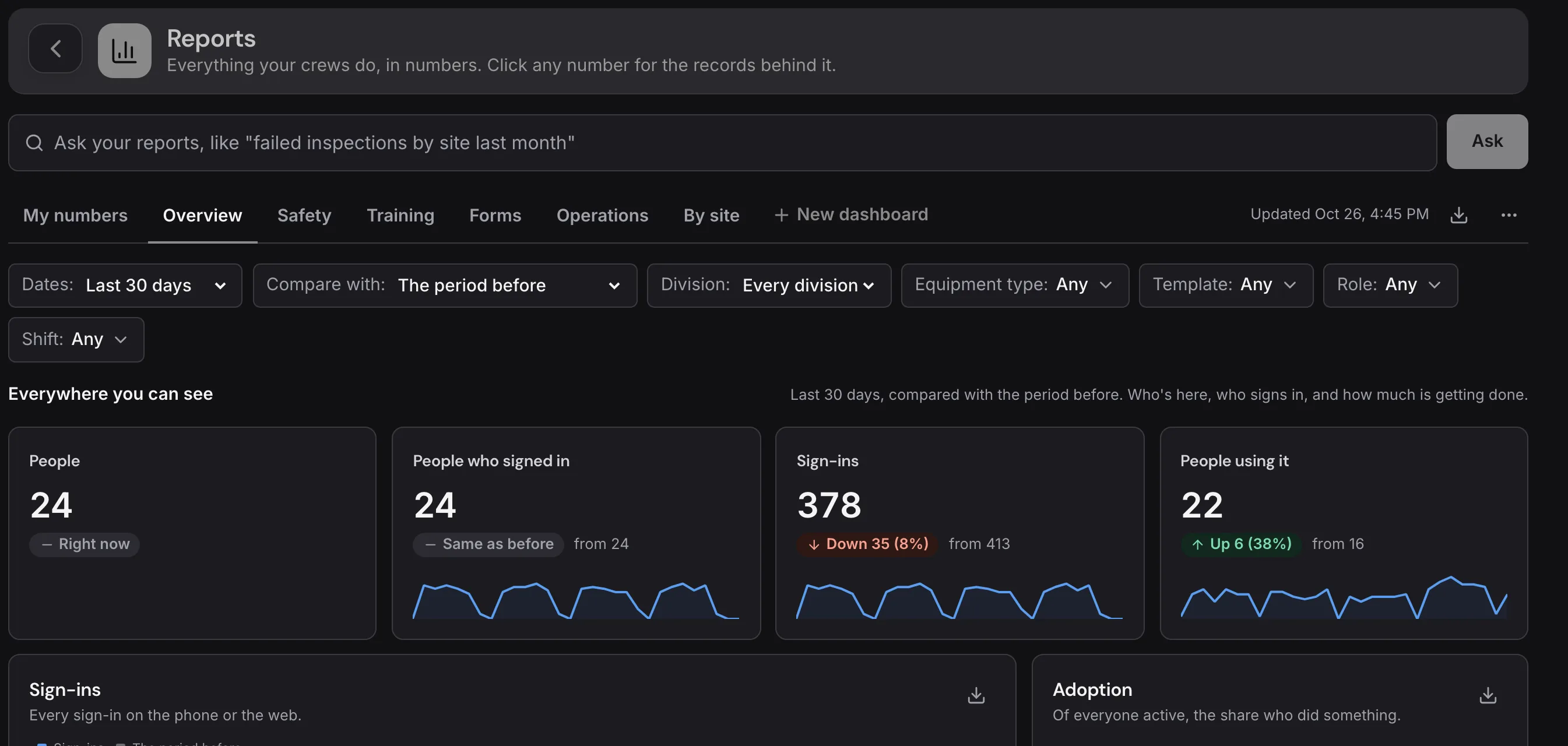
October 2026
Drop in the file your HR or payroll system makes. PortalBase checks it first, shows what will change, and only then applies it.
See Integrations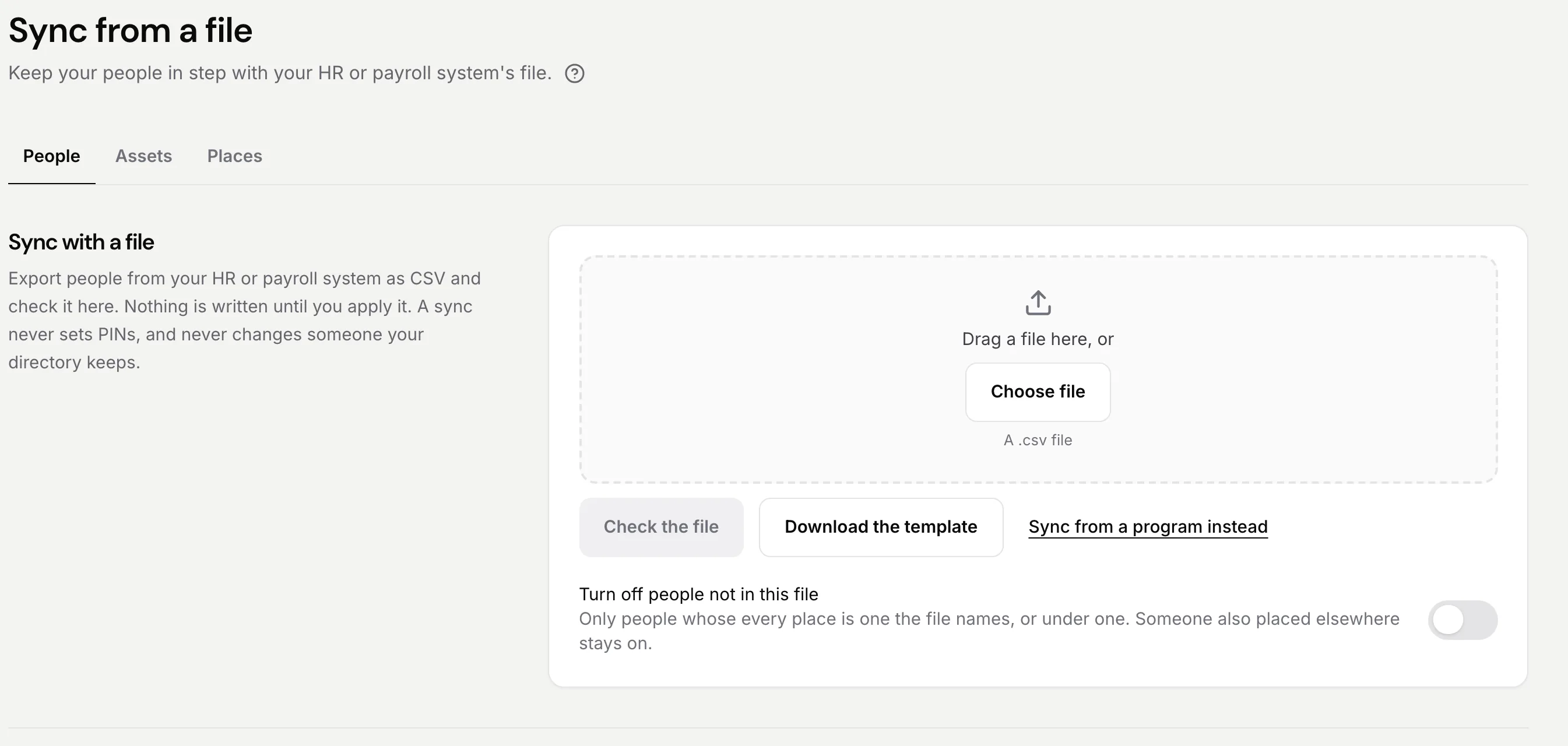
October 2026
Turn it on and copy one address. Each connection sees only what that person can, and anything an AI drafts waits for a person to publish.
See Integrations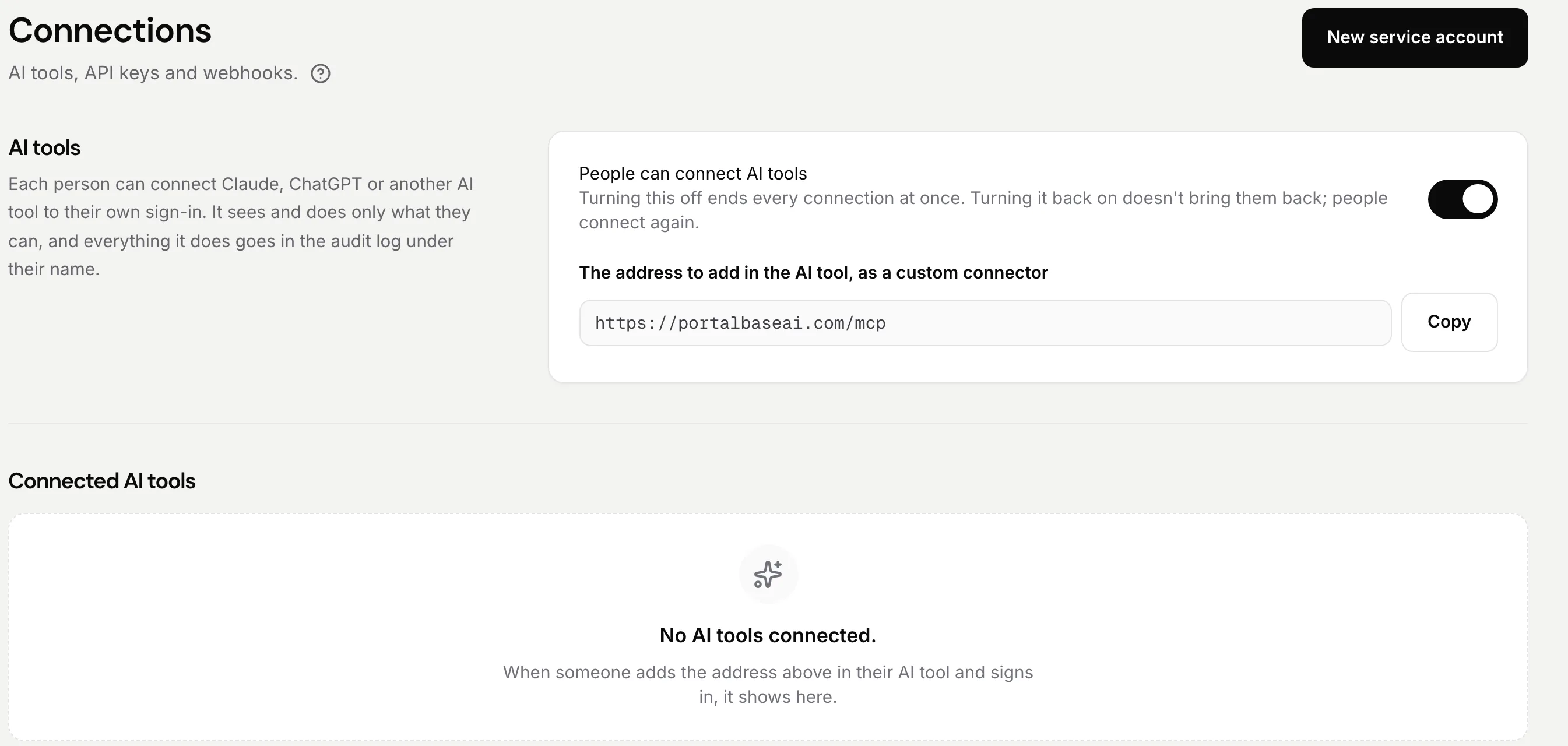
October 2026
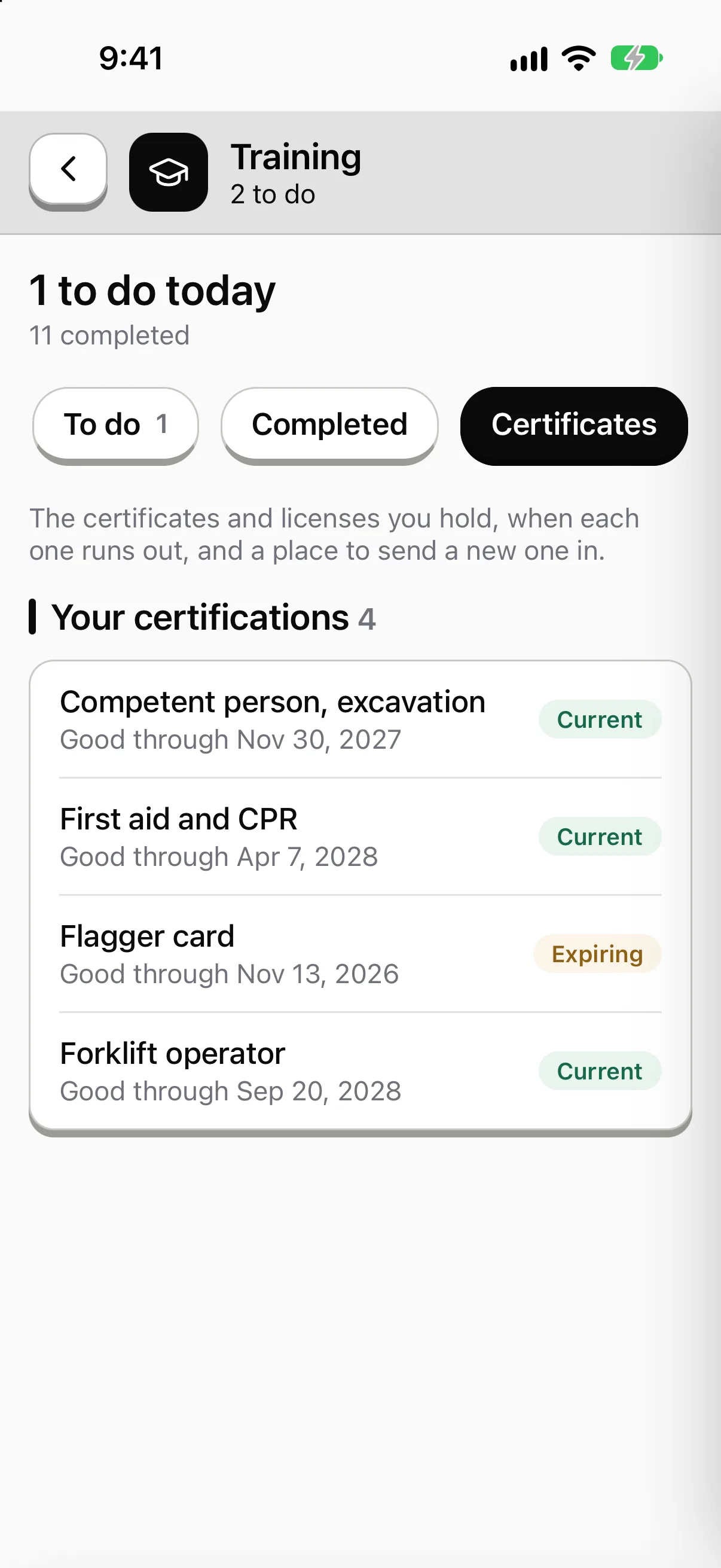
Each person carries their certifications on their phone, with when each one runs out. Supervisors see who holds what, and what's expiring, in one place.
See Training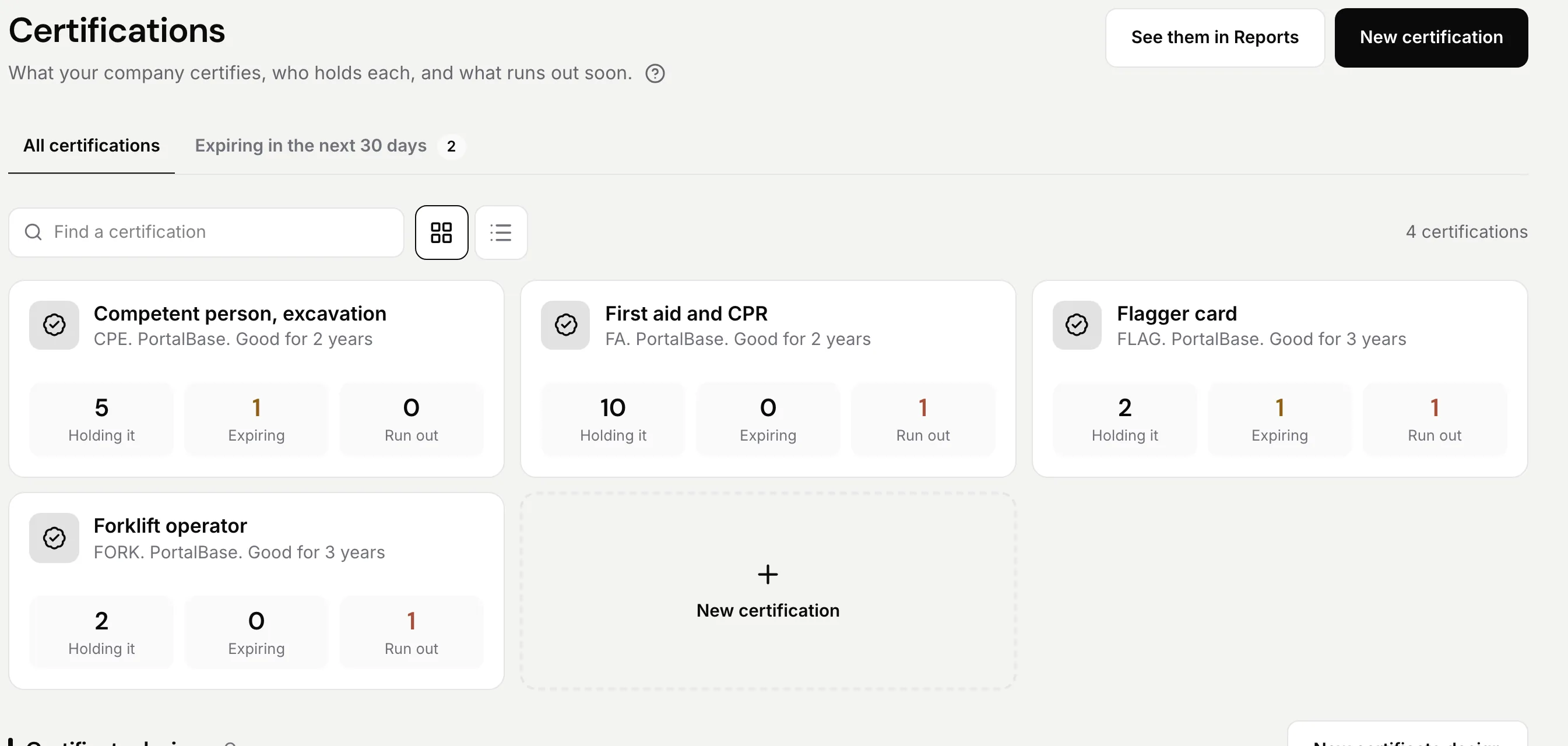
Sample data from our own demo company.