
The workflow builder shows a workflow the way you'd draw it. Steps run down the page. A decision splits into its answers, side by side, so you can see both paths at once.
Add a step with the plus, move it up or down, or drag it where you want it. Start from one of five templates: a critical step fails, a permit request, overdue work that goes up, a certification that runs out, or a weekly safety walk. Or start blank.
Run a test to see what each step would do, then publish. The picture is a permit request: one person decides, and if they approve, a second person signs off.
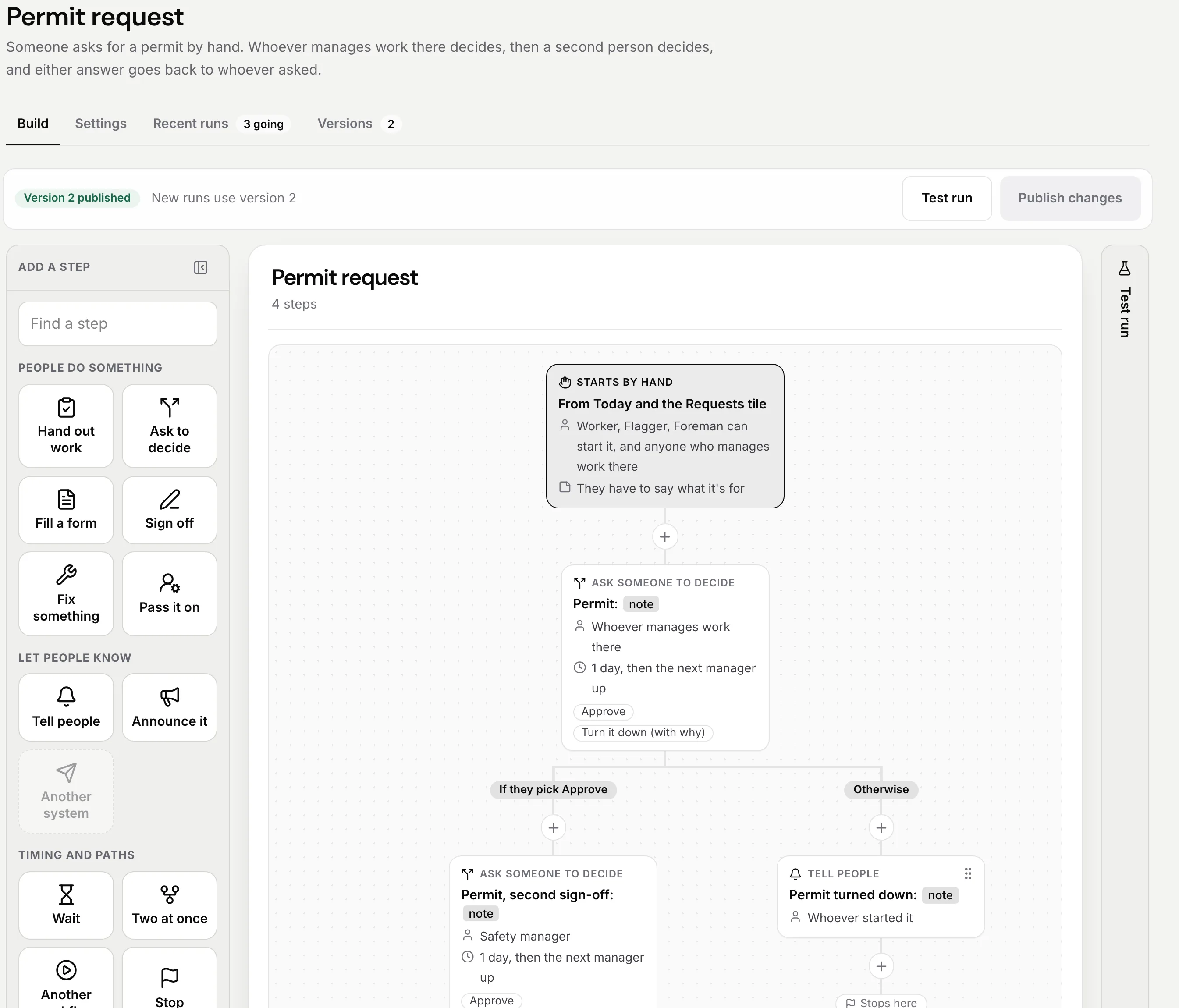
Sample data from our own demo company.